Built for HOAs, property managers and board members
We build websites homeowners will love.
A modern HOA website where residents find the news, events, documents and forms they need.
- Better communication with homeowners
- Easy to update, no web skills needed
- Every change previewed before it’s live
- Each board member gets their own login
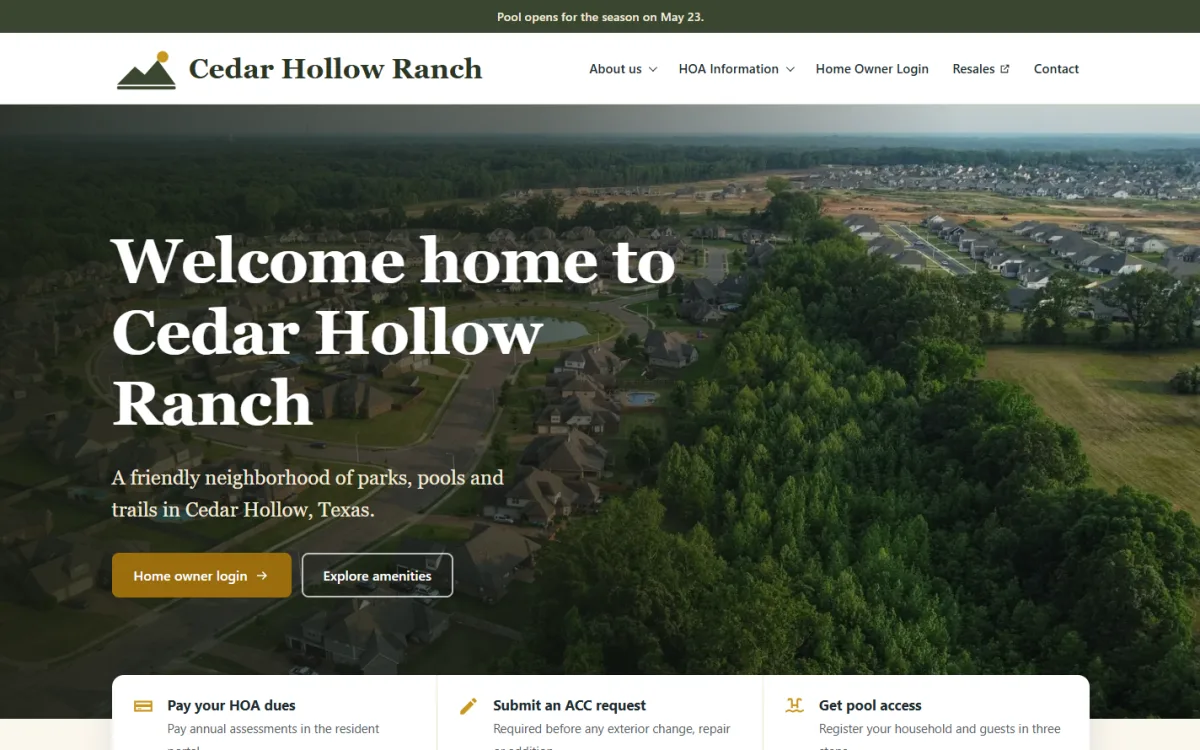
Welcome home, neighbors
Everything for Willow Creek residents in one place.
Upcoming events
Latest news
October board minutes posted
Holiday lights contest is back
For your HOA board
One community, a few volunteers, and a website that finally stays up to date. See how it worksFor property management companies
Many communities, one login, and every site kept separate. See how managers use itOr just email it
Your HOA gets its own email address for the website. Send the minutes, a flyer or a photo with a line saying what to do. It goes on your preview, and you reply PUBLISH to make it live.
Every change goes to a preview first
Your AI agent makes the change on your preview link, never on the live site. Look it over, ask for tweaks, then say “publish” or press Publish in your portal.
Example site shown.

Welcome home, neighbors
Documents
How it works
Three steps to a website like the one below, and the first two you only do once.
-
1
Get started free
Enter your name and email and confirm it. A short wizard asks about your HOA, and its site is ready in a few minutes. Build it free with your own AI agent, or start a 14-day free trial and our AI builds it for you.
-
2
Connect your AI agent
Paste one address into your AI app’s connectors and sign in with your email. Your AI agent can now work on your site, and only yours.
-
3
Ask, preview, publish
Describe the change you want. Check it on your preview link, then tell your AI agent to publish, or press Publish in your portal.
Your website, ready for residents
A fast, modern site on your own address, with your news, documents, events and forms. It looks good on phones, and it keeps changing whenever you ask.
A site that dresses up for the holidays by itself
Tick the seasonal themes your community wants. Each one switches on and off by itself on its dates, every year, with a greeting at the top of your site.
-
Maple Hollow HOA
Everyday
All year
-
Maple Hollow HOA

Happy Halloween, Maple Hollow!
Halloween
Through October
-
Maple Hollow HOA

Merry Christmas, Maple Hollow!
Christmas
Most of December
-
Maple Hollow HOA

Happy Fourth of July, Maple Hollow!
Fourth of July
The week around July 4
Example site shown. There are also themes for New Year, Easter and Thanksgiving.
Get startedMost HOA websites go stale for the same reasons
Changes cost money or need the one volunteer who knows the login. Here’s how the usual options compare.
What it costs to start
- A web agency
- Often thousands of dollars up front
- A website builder
- A monthly fee, plus the board’s time to build it
CapHOA Sites
Nothing up front; $149 a month per HOA
Getting a page changed
- A web agency
- Email the agency, wait, often pay by the hour
- A website builder
- Someone logs in and learns the editor
CapHOA Sites
Ask your AI agent in plain English
When volunteers change
- A web agency
- The agency still has the keys
- A website builder
- Passwords and know-how leave with them
CapHOA Sites
Invite the new board member; nothing to hand over
Mistakes reaching residents
- A web agency
- Depends on the agency
- A website builder
- Edits go live as you type
CapHOA Sites
Every change goes to a preview first
| A web agency | A website builder | CapHOA Sites | |
|---|---|---|---|
| What it costs to start | Often thousands of dollars up front | A monthly fee, plus the board’s time to build it | Nothing up front; $149 a month per HOA |
| Getting a page changed | Email the agency, wait, often pay by the hour | Someone logs in and learns the editor | Ask your AI agent in plain English |
| When volunteers change | The agency still has the keys | Passwords and know-how leave with them | Invite the new board member; nothing to hand over |
| Mistakes reaching residents | Depends on the agency | Edits go live as you type | Every change goes to a preview first |
Everything your board needs, included
Every plan comes with all of it. No add-ons, plugins or extra fees.
-
Your own domain
Connect www.yourhoa.org. We show you the one DNS record to add, set up HTTPS, and email you when it works.
-
Secure by design
HTTPS everywhere, nothing on your site for anyone to break into, and every HOA’s site kept separate.
-
Full design freedom
Not a template you’re stuck with. Ask for any layout, colors or new page, and your AI agent builds it.
-
Custom forms
Contact, ACC request or pool access forms that email the right people, with every submission kept in your portal.
-
Change history
See every change, who made it and when, whether it came from the portal, an AI agent or an email.
-
Restore points
Save a restore point before a big change, and go back to any earlier version in one step.
-
Permissions
Each board member gets their own login. Choose who can edit, publish, manage forms, see submissions or handle billing.
-
MCP server
Connect Claude, ChatGPT or Gemini with one address. Your AI agent works on your site, and only yours.
-
Email AI Assistant
Email the minutes or a flyer to your site’s own address. It goes on your preview, and you reply PUBLISH to make it live. Every paid plan includes AI credit each month to run it.
-
Photos and documents
Upload in the portal or straight from your Google Drive folder. Large photos are resized for you.
-
Seasonal themes
Halloween, Christmas, the Fourth of July and more switch on and off by themselves every year.
-
Visitor stats
See how many people visit your site and which pages they read most.
One price per HOA, everything included
Pay automatically by card or bank account, or get an invoice each period and pay it online or by check.
- Your website, with fast, secure hosting
- Changes by asking your AI agent, with a preview before anything goes live
- Your own web address, or ours
- Forms that email the board
- Photos, documents and seasonal themes
- As many board members and volunteers as you like
$149 a month per HOA
- Billed monthly, or quarterly or yearly at the same rate.
Flexible billing: the HOA can pay us itself, or its management company can, with one bill for every HOA the company pays for. You can switch later. How it works for managers.
Built so your website can’t put your HOA at risk
- Secure. Fast hosting with HTTPS everywhere, and nothing on your site for anyone to break into.
- Kept separate. Every HOA’s site stands on its own. An AI agent working on yours can’t reach anyone else’s.
- Preview first. Changes land on a preview search engines don’t list, and only the people you choose can publish them.
- Backed up. Every change is saved. Make restore points before big changes, and go back to any earlier version in one step.
Questions boards ask
Yes. Build and preview your site free with your own AI agent, or ask CapHOA to build it for you, and choose a plan when you’re ready to publish. Or start a 14-day free trial: add a card (nothing is charged until the trial ends) and our AI builds your site from your current one in about 20 minutes.
CapHOA Sites works with Claude, ChatGPT or Gemini. A free Claude account works, and Claude Pro is better for longer editing sessions. ChatGPT needs a plan that includes developer mode. Using another AI app? Tell us and we’ll look at adding it.
No. With AI credit (every paid plan includes some each month), you can email your site’s own address with what you want, like “post these minutes” with the PDF attached. Uploads, forms, seasonal themes and publishing are all in your portal too.
No. If you can describe the change in an email, you can make it. Every change goes to a preview first, so mistakes never reach residents.
No. Every change lands on your preview first, and only members allowed to publish can make it live. Every change is in your change history, and you can go back to an earlier version in one step.
Admins invite board members and choose what each one can do: edit, publish, manage forms, see form submissions or handle billing. Emails to your site’s address are only accepted from members who can edit.
Yes. Ask your AI agent to copy the text from your current pages, and upload the photos and documents in the portal or bring them in from your Google Drive.
An HOA admin enters it on the Domain page in the portal. We show the DNS record to add at your registrar, set up HTTPS, and email you when it is connected.
Each form emails the people you choose, like the board or the ACC committee, and every submission is also kept in your portal.
$149 a month per HOA, with everything included. You can also be billed quarterly or yearly at the same rate. Pay automatically, or get an invoice and pay online or by check.
Yes. A management company can pay for the HOA, with one bill for every community it manages, and work on each site with one login. It can also hand an HOA back to its board, who carry on with the same website.
Invite the new members and turn off the old ones on the Members page. There is no shared password and nothing to hand over.
You can cancel any time, and the site stays up until the end of the period you paid for. The HOA owns its content, including the text, photos, documents and form submissions, and we help you take a copy of your site’s files.
Give your board a website it can actually keep up to date.